Online Documentation for SQL Manager for PostgreSQL
Using the context menu
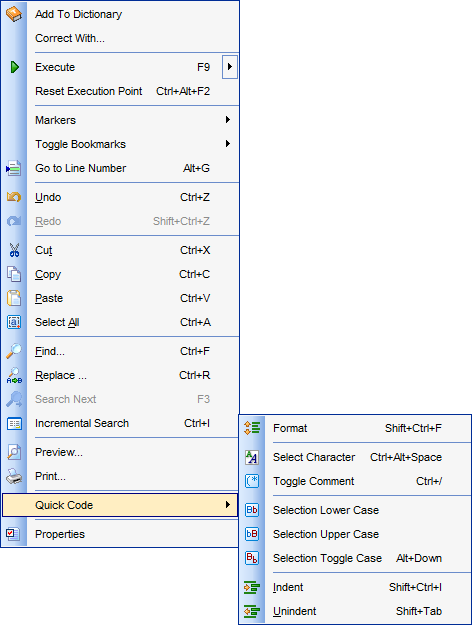
The context menu of Query Data area contains execution commands, most of the standard text-processing functions (Cut, Copy, Paste, Select All) and functions for working with the query as a whole, e.g. you can move the cursor to a particular line, change the case of selected text, view the query properties or print the text of the query. The menu also provides the AI Assistant submenu, from which you can send the query to the AI Assistant or add it to the context of your next request. Each of these operations can be also performed with the corresponding hot keys used.
Implementation of the Find Text / Replace Text dialogs and Incremental search bar contributes to more efficient work with the SQL code.
Find the complete list of Query Data context menu items below. The context menu allows you to:
- execute the query/selected text/text under cursor, and reset execution point (if necessary);
- send the query to the AI Assistant for explanation, checking, optimization or formatting, or add it to the context of your next request.
- manage markers: Drop Marker, Collect Marker, Swap Marker;
- toggle bookmarks allowing you to navigate through the query text and jump to a line with a particular number;
- perform editing operations: Undo/Redo, Cut, Copy, Paste, Select all;
- perform search and replace operations;
- perform preview/print operations;
- use the Quick code group allowing you to format the selected code using SQL Formatter to make the code easier to read, toggle comments for code fragments, change case of the selected text, indent/unindent code lines;
- open the Editor Options dialog.