

Online Documentation for EMS SQL Management Studio for InterBase/Firebird
Using services
SQL Studio's integrated features provide an easy way to run all native Interbase/Firebird services that are intended for database maintenance. The following services and server tools are available:
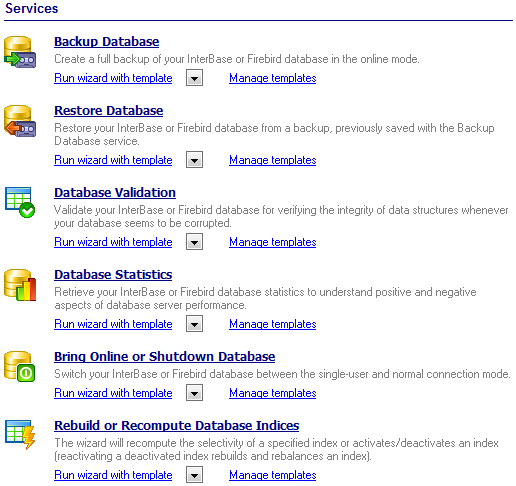
To run a service, click its icon or caption on the Desktop Panel and follow the steps of the Wizard. If necessary, you can click the Arrow-down button to open the menu allowing you to specify a template and run the wizard with this template.
To manage configuration files (templates), use the corresponding Manage templates link. In this case you will be redirected to the Template Management section of SQL Studio.
Backup Database
Creates backup copies of your Interbase/Firebird databases.
Restore Database
Restores Interbase/Firebird databases from previously created backups.
Database Validation
Validates the database to verify the integrity of data structures.
Database Statistics
Collects various statistics as an aid to improve the performance.
Bring Online or Shutdown Database
Allows you to shutdown (sometimes you may need to switch to one-user database connection mode) and to bring database back online.
Rebuild or Recompute Database Indices
Allows you to recompute or rebuild indices. Highly fragmented indices may considerably decrease query performance. Index fragmentation is remedied by either reorganizing or by rebuilding an index.
Purge Database Tables
Deletes data from selected database tables.
|
See also: |

































































