
Online Documentation for SQL Manager for InterBase/Firebird
Database context menu
The context menu of a registered database in the DB Explorer tree allows you to:
-
 connect to the selected database (if connection to the database is not active yet);
-
 disconnect from the selected database (if connection to the database has been already activated);
-
 create a new database at the host where the selected database resides;
-
register a new database using
 Register Database Wizard;
-
 unregister the selected database;
-
 drop the selected database;
-
view/edit the selected database registration information within the
 Database Registration Info dialog;
-
view/edit the
 Database properties;
- access database tools available in the Tasks submenu;
-
register a new host using
 Register Host Wizard;
- configure representation of hosts and databases in Database Explorer;
- refresh the selected database;
- create a new tab for the selected database to access it through this tab quickly and/or manage the existing tab;
-
 search for an object within the tree.
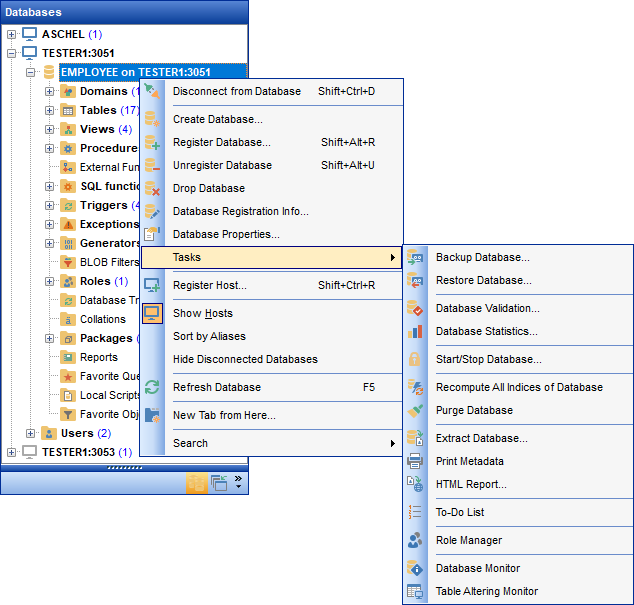
Tasks submenu allows you to:
 backup database using the wizard;
 restore database using the wizard;

 retrieve database statistics;

 recompute all indices of a database;

 extract database objects and/or data to an Execute Script;

 generate html report of the selected objects;
 create to-do list;
 manage roles and their privileges;
 launch Table Altering Monitor.
|
See also: |


































































