
Online Documentation for SQL Manager for InterBase/Firebird
Object context menu
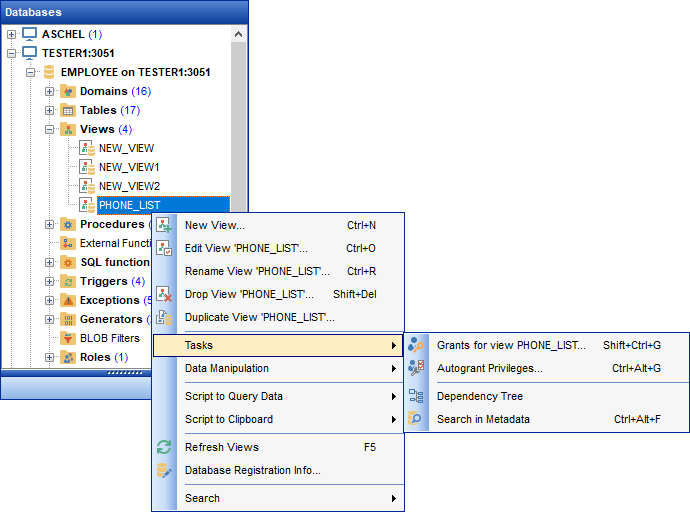
The context menu of an object (e.g. table or view) in the DB Explorer tree allows you to:
- create a new database object of the same type;
- edit the selected object in its editor;
- rename the selected object;
- drop the selected object from the database;
-
 duplicate the selected object (create a new object with the same DDL structure and properties as the selected object has);
- access common Tasks applied to this object;
- perform data manipulation operations (for tables and views);
-
define
 grants for the selected object;
- generate the object script and open it in editor;
- generate the database script and copy its text to Windows clipboard;
- refresh all objects of the selected object type;
-
view/edit the database registration information within the
 Database Registration Info dialog (for database objects);
-
 create a new tab for the selected object to access it through this tab quickly and/or manage the existing tab;
-
 search for an object within the tree.
|
See also: |


































































