


EMS SQL Manager for DB2 — administer and develop IBM DB2 databases from one window
Catalog nodes and databases, lay out table spaces and buffer pools, design partitioned and multidimensionally clustered tables, protect rows with security labels, and run REORG, RUNSTATS, LOAD or a rollforward from a wizard instead of typing CLP commands. Works with DB2 for Linux, UNIX and Windows from 8.1 to 9.7 through the DB2 Run-Time or Administrative Client.
From Node Directory to Database Explorer
In DB2, a database is reachable only after its node and the database itself are cataloged on the client. SQL Manager does both for you and keeps the result in its explorer tree.
Catalog a node in a wizard. Use an entry that already exists in the node directory, or add a new one over TCP/IP, LOCAL, Named Pipe, APPN or IPX/SPX. Each protocol asks only for what it needs: host and port for TCP/IP, the instance for a local node, the logical units and mode for APPN.
Choose how users are authenticated. Server, Client, Kerberos with a target principal, Server Encrypt, DCS for databases reached through DB2 Connect, DCS Encrypt, DCE, or authentication handled by SQL Manager itself.
Reach servers behind a firewall. Route the connection through an SSH tunnel with a password or key file, or enable SOCKS for TCP/IP nodes.
Create a database from scratch. Set the territory, code set and collating sequence (these cannot be changed later), page size, default extent size, automatic storage and RESTRICT_ACCESS. Then define SYSCATSPACE, USERSPACE1 and TEMPSPACE1 as SMS or DMS, with auto-resize, prefetch size, overhead and transfer rate.
Tune configuration parameters by area. Database Properties groups the database configuration into Recovery, Logs, Maintenance, Applications, Performance, Status, Environment and Monitor. You can edit LOGPRIMARY, LOGSECOND, LOGFILSIZ, LOGARCHMETH-related paths, NUM_DB_BACKUPS or TRACKMOD with the default value and a description shown next to each.
Storage: Table Spaces, Buffer Pools and Partition Groups
Table spaces with their containers. Create SMS, DMS and automatic storage table spaces and add, edit or remove containers on a dedicated tab. Review the generated DDL before you compile.
Buffer pools sized for the workload. Define the page size and number of pages, set block-based I/O with a block size, and duplicate an existing pool to another database in a few steps.
Partition groups. Group database partitions and assign table spaces to them when your data is spread across several partitions.
Event monitors. Record deadlocks, statements, transactions, connections, table, table space and buffer pool activity. Write the results to a table, a named pipe or files, and choose the partition a file or pipe monitor runs on.
Tables Built for Large DB2 Workloads
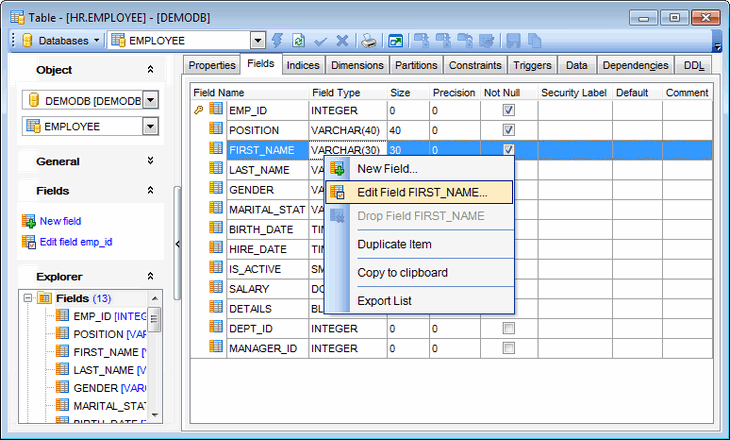
Table Editor exposes the storage clauses that decide how a big table behaves, not only its columns.
| Option | What it does | Server version |
|---|---|---|
| Separate table spaces for data, indexes and long data | Places each kind of data where it belongs | 8.1+ |
| Dimensions (ORGANIZE BY) | Clusters rows by one or more columns for multidimensional clustering | 8.1+ |
| Range partitioning | Splits a table into data partitions with their own table space and low/high limits | 9.1+ |
| Distribution key | Spreads rows across database partitions | 9.7 |
| Row compression | Compresses table rows | 9.7 |
| Value compression, APPEND, VOLATILE, DATA CAPTURE CHANGES | Fine-tunes storage, inserts, optimizer behavior and replication logging | 8.1+ |
| Security policy and security label columns | Puts the table under label-based access control | 9.1+ |
Materialized query tables, global temporary tables, nicknames, aliases, sequences, user-defined distinct and structured types, SQL variables and modules (9.7) each have their own editor.
Routines, Packages and Triggers
Stored procedures in SQL PL or an external language. Set the language, parameter style, the kind of SQL data access (CONTAINS SQL, READS or MODIFIES SQL DATA), the number of result sets, and the FENCED, DETERMINISTIC and EXTERNAL ACTION options. Run a procedure with input parameters straight from its editor.
Functions of every kind. Write scalar, table and row functions in SQL or point them to an external library.
Packages. Browse bound packages, see their bind options and grant BIND and EXECUTE.
Triggers and dependencies. Edit BEFORE, AFTER and INSTEAD OF triggers. Open the dependency tree to see which objects a routine uses and which objects depend on it before you change it.
Federated Access to Other Data Sources
DB2 can query tables that live in other databases as if they were local. SQL Manager gives every piece of that setup a visual editor:
- Wrappers. Register the library the federated server uses to talk to a data source.
- Servers. Describe the remote source by type, version and the wrapper it uses.
- User mappings. Map a local authorization ID to a remote user name and password.
- Nicknames. Point to a remote table or view and query it under a local name.
Label-Based Access Control, Roles and Auditing
Row- and column-level protection. On DB2 9.7, build LBAC from the ground up: security label components (sets, arrays, trees), a security policy that combines them, and security labels that are granted to users and attached to data.
Database authorities and object privileges. Grant DBADM, SECADM, CONNECT, CREATETAB, BINDADD, IMPLICIT_SCHEMA, LOAD, QUIESCE_CONNECT and the external routine authorities. Grant Manager shows CONTROL, ALTER, INDEX, REFERENCES and the DML privileges for tables, MQTs and nicknames. It also covers BIND and EXECUTE for packages, USE for table spaces and READ/WRITE for SQL variables and security labels. You can filter the list to objects that already have grants.
Roles and trusted contexts. Group privileges into roles, and define trusted contexts by system authorization ID, client address, encryption level and default role. The application server can then switch users without a full re-authentication.
Audit policies (9.5+). Choose which categories are recorded (AUDIT, CHECKING, CONTEXT, EXECUTE with or without data, OBJMAINT, SECMAINT, SYSADMIN, VALIDATE), and whether only successes, only failures or both are logged.
Backup, Restore and Rollforward Recovery
Recovery in DB2 is a chain: a backup image, a restore, then a rollforward through the logs. SQL Manager has a wizard for every link.
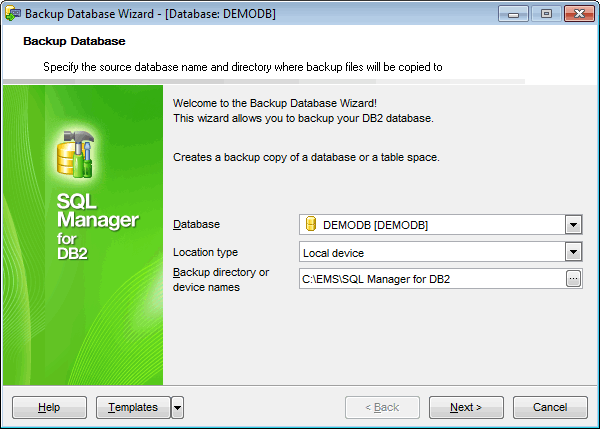
Backup Database. Back up the whole database or selected table spaces, online or offline, as a full, incremental (cumulative) or delta image. Write to local directories or tape, Tivoli Storage Manager, a vendor library or XBSA. Set buffer size, number of buffers and parallelism, and include the active logs in the image.
Restore Database. Pick an image from a list filtered by date. Restore it into the original database, over an existing one or into a new database, and redirect table space containers to new paths when the target machine is laid out differently.
Rollforward Database. Apply the logs to the end or to a point in time in local time or GMT. Use an overflow log path, and decide whether the database stays in rollforward pending state.
Take the database out of service and back. Quiesce a database so only authorized users stay connected, then unquiesce it. Restart a database after a failure, ping it to check the round trip, or stop and start the database manager instance.
Every wizard can save its settings as a template, so a nightly job takes a few clicks to repeat.
REORG, RUNSTATS and Activity Monitoring
Reorganize tables. Remove fragmentation offline or in place while users keep working, and pause, resume or stop an online reorg. Order rows by a chosen index, use a system temporary table space for the shadow copy, and include long and LOB data. A table space backup can run first.
Reorganize indexes. Rebuild indexes with read-only, read/write or no access for other users during the operation.
Collect statistics the optimizer needs. Run RUNSTATS for tables, all columns or key columns only, with distribution statistics and your own frequency and quantile limits, and detailed or sampled index statistics. On DB2 9.7, use SYSTEM or BERNOULLI sampling. Both reorg wizards can run statistics before and after the job.
See who is connected. Activity Monitor lists every application with its auth ID, client platform, protocol and authority level, and lets you force a connection that is holding locks or not responding.
Queries, Data and Team Work
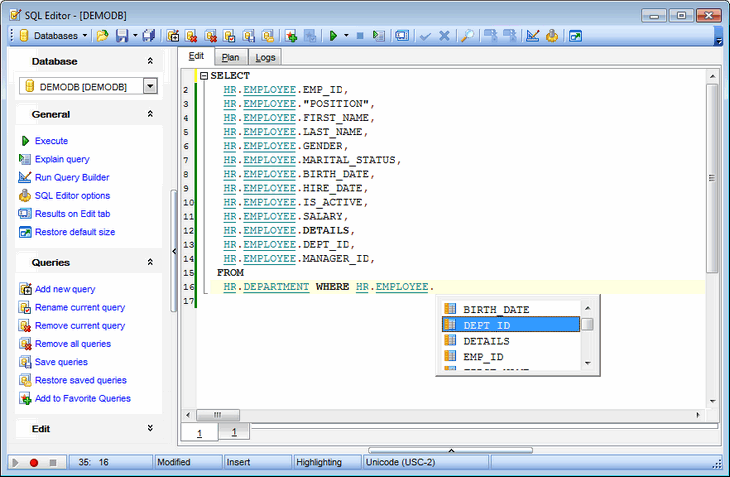
- SQL Editor. Code completion, object links, the estimated execution plan, query parameters, a query log and favorite queries.
- Visual Query Builder. Joins, criteria, grouping and sorting set on a diagram, with the SQL kept in sync.
- Scripts. Script Editor with Script Explorer for long DDL or migration scripts.
- Data grid and form view. Filter Builder, master-detail levels and a BLOB editor for text, images, HTML and hex.
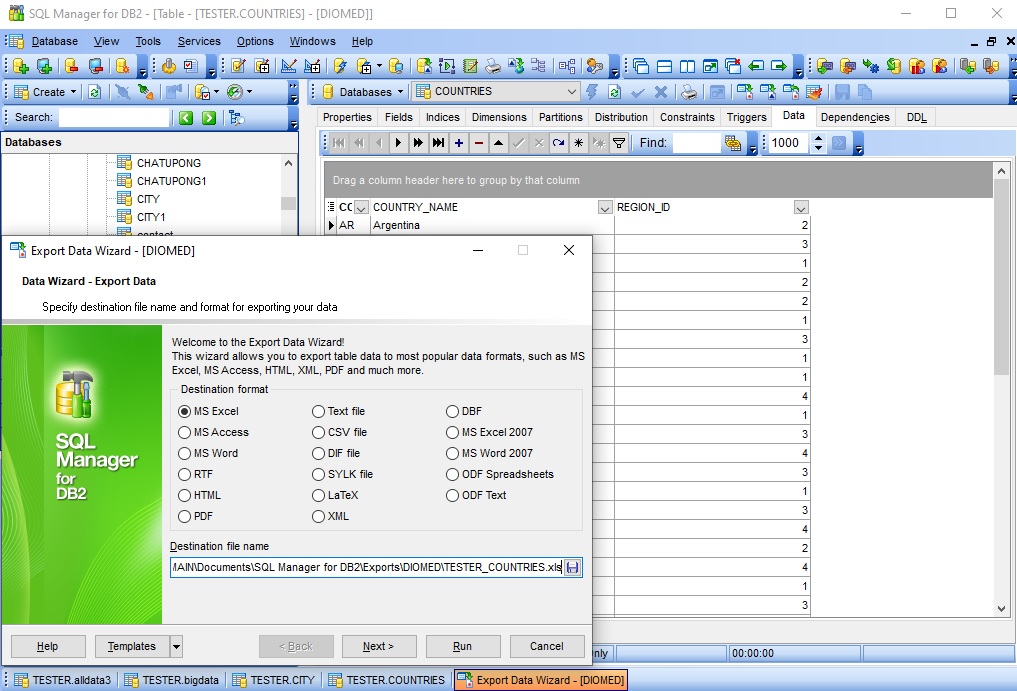
- Import and export. Excel, Access, CSV, XML, HTML, PDF, DBF and other formats. A table can also be exported as an SQL script for another DBMS.
- Compare Databases. Compare two databases or projects schema by schema and get a synchronization script in either direction.
- Projects. Work with an offline project of a database and later create or update a real database from it.
- Version control. Keep object changes in CVS, Visual SourceSafe or Team Foundation Server. Tag database states, check the repository against the live database and generate change scripts between two points.
- Design and documentation. Visual Database Designer with reverse engineering, plus HTML reports, printed metadata and a report designer.
SQL Manager for DB2
Get started with SQL Manager for DB2
Download a fully-functional 14-day free trial, and start saving time with your database management today.
Download free trialGot questions?
If you'd like any help, or have a question about our tools or purchasing options, just get in touch.
Related products


