
Online Documentation for SQL Manager for InterBase/Firebird
Options
The Options section of the Database Registration Info dialog allows you to set various options for the database.
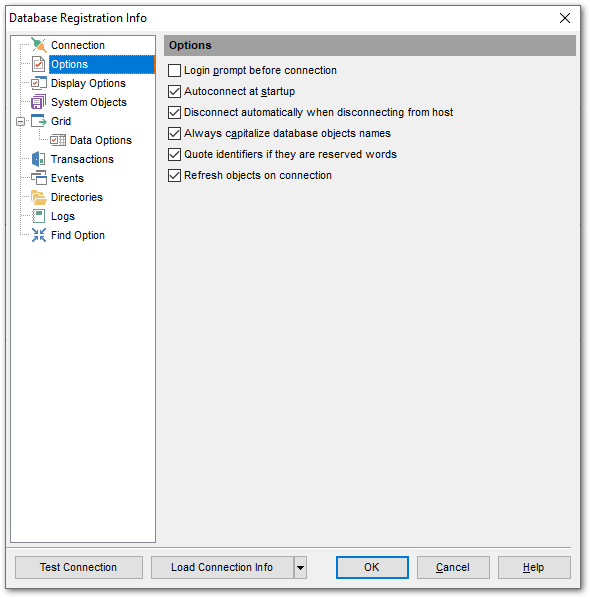
Customize common database options according to your needs. The detailed description is given below.
 Login prompt before connection
Enables SQL Manager for InterBase/Firebird to prompt for user name and password each time you connect to the database.
Autoconnect at startup
Check this option to specify that SQL Manager for InterBase/Firebird automatically establishes connection to the registered database at application startup.
Disconnect automatically when disconnecting from host
When this option is enabled, the application disconnects from the database automatically upon disconnection from the host.
Always Capitalize database object names
If this option checked, SQL Manager for InterBase/Firebird automatically capitalizes all database object names. Recommended for working with InterBase 5.x.
Quote identifiers if they are reserved words
If this option is checked, then the quotation marks are added automatically to all the identifiers, spelled as InterBase reserved words.
Refresh objects on connection
This option allows you to enable/disable refreshing objects on connection to the database. It is highly recommended to uncheck this option if your database contains many objects or if connection to the database is slow.


































































