
Online Documentation for SQL Manager for InterBase/Firebird
Display options
The Display Options section of the Database Registration Info dialog allows you to specify which objects will be displayed in the Database Explorer tree.
 Use custom color for DB editors
With this option checked the text color for editor tabs is black. To apply user font color uncheck the option and select the color.
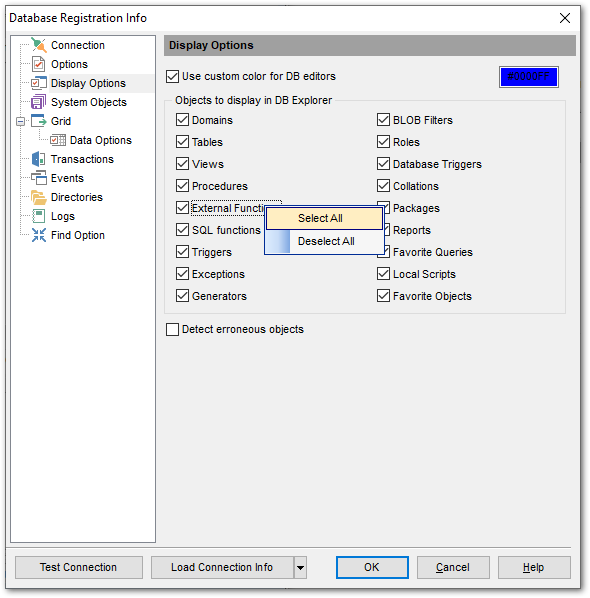
For your convenience the Select All and Deselect All functions are implemented in the context menu of the objects list area.
Detect erroneous objects
If this option is selected, invalid objects are detected in the process of database navigation and marked out with a red cross in DB Explorer.
|
See also: |


































































