
Online Documentation for SQL Manager for InterBase/Firebird
Managing Favorite queries
Favorite Queries is a new feature of SQL Manager. Now you are provided with an opportunity to save the most frequently used SQL queries as Favorite Queries.
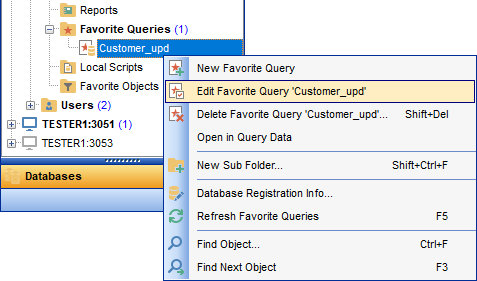
Use the Favorite Queries node of DB Explorer to access the list of your Favorite queries quickly. Queries stored in the database and those stored in Windows registry can be easily distinguished by their icons.
Using the context menu you can create a new Favorite query or edit an existing one using Favorites editor, open any of the existing queries in Query Editor or remove a query if you don't need it any longer.
You can also create a separate tab for your Favorite queries. See Using tabs for database navigation section for details.


































































