
Online Documentation for EMS SQL Management Studio for PostgreSQL
Localization
If you did not select the program interface language when you started SQL Management Studio for PostgreSQL for the first time, or if you have decided to change the language settings, use the Options | Environment Options main menu item.
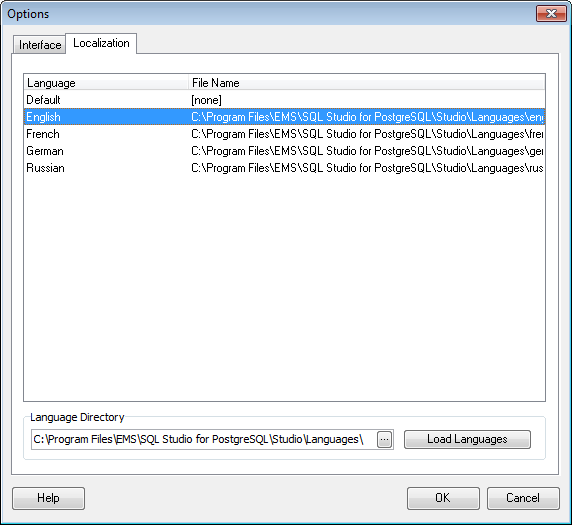
The Localization section of the Options dialog is provided for managing the localization files of SQL Management Studio for PostgreSQL.
You can create your own *.lng files similar to those available in the %program_directory%\Languages folder, add them to the list of available languages and set the new language as the program interface language.
Language Directory
Specify the directory where the *.lng files are stored by default.
Available Languages
Lists all the languages available for localization and the corresponding *.lng files.