Online Documentation for EMS SQL Management Studio for Oracle
Outgoing mail service
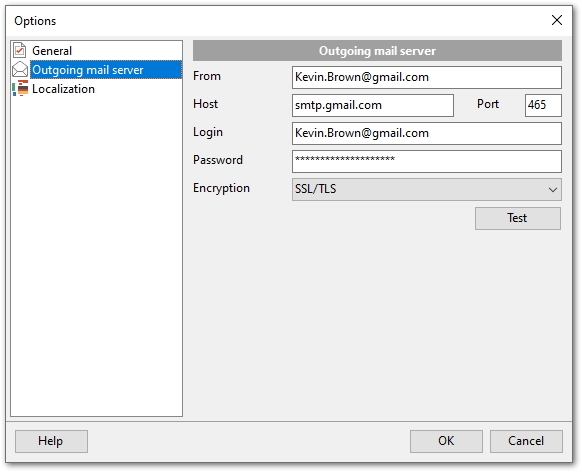
Set options for mail server to send task notifications.
From
Specify the email to send notifications from.
Host
Enter the address of the outgoing mail server (SMTP server).
Port
Set the port for the outgoing mail.
Login
Enter your username or email address for authentication on the mail server.
Password
Enter the password for the specified login.
Encryption
Choose the encryption method: None, SSL/TLS, STARTTLS.
Click the Test button to send a test message and verify that the server settings are correct.