Online Documentation for SQL Manager for Oracle
Preferences
 Restore desktop on connection to database
This option determines whether the previously opened windows and their positions should be restored upon connection to the database.
Do not restore if 'Refresh objects on connection' database registration option is off
The previously opened windows and their positions are not restored for the databases having 'Refresh objects on connection' off at the Database registration info.
Disable multiple instances
Checking this option prevents one from running multiple instances of SQL Manager for Oracle.
Show desktop panel (for MDI Environment only)
Displays Desktop Panel when no child windows are open.
Check for updates at startup
Enable this option to automatically check for program updates. Use the drop-down list to specify the update check frequency: Every Day, Every Week, Every Month.
Show Full Version features*
This option is available in the Lite version of SQL Manager. When enabled, a 14-day period of fully-functional usage is activated.
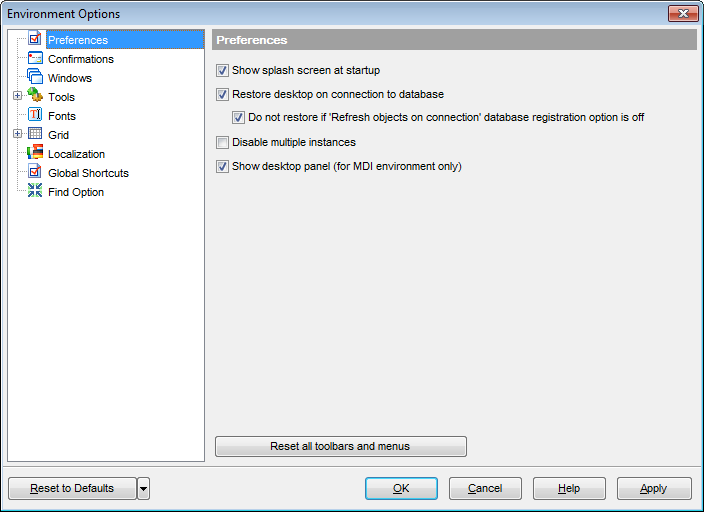
If necessary, you can reset all toolbars and menus of the application using the corresponding button.
Hint: The Reset to Defaults button, which is common for all sections of the Environment Options dialog, opens a menu that allows you to discard changes and restore default settings — either for the current category or for all categories.
|
See also: |