
Online Documentation for SQL Manager for Oracle
Database Explorer
Database Explorer (or DB Explorer) is the basic window of SQL Manager for Oracle for navigation within databases and working with database objects. The tree-like structure of DB Explorer allows you to manage the databases, database objects and perform other everyday operations quickly and easily.
The following list contains the most frequently used features provided by Database Explorer.
- Managing database registration info
- Connecting to databases
- Performing basic operations upon database objects
- Selecting multiple objects
- Navigating database objects using multiple tabs
- Easy access to recently opened objects
- Managing Favorite objects
- Searching within the tree
- Viewing extended information about database objects
- Configuring Database Explorer
- Managing Favorite queries
All objects are structured by their types and are available within the corresponding nodes of the tree. The number of objects of each type is displayed in brackets after the node name denoting the object type. To expand/collapse a node, you can double-click it or use the +/- icons.
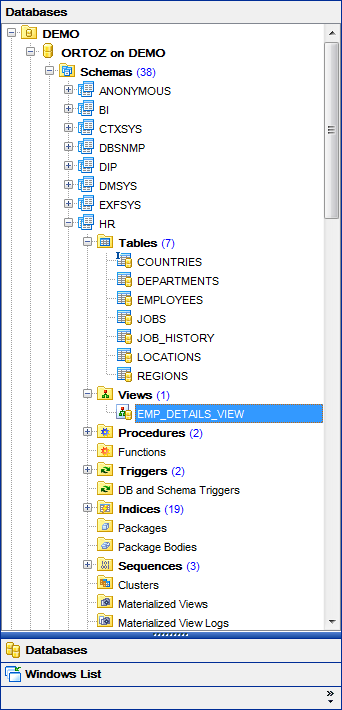
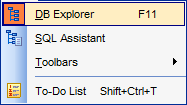
NOTE: To view/hide the Database Explorer window, use the View | DB Explorer main menu item or press the F11 key.
Use the Ctrl+Shift+C shortcut to collapse current DB Explorer tree branch and switch to the parent node.
Note that you can change database and database groups order by dragging them within the DB Explorer tree.
|
See also: |
|
|
|
|


































































