
Online Documentation for SQL Manager for DB2
Object history
You can browse change history of any object.
To open object history use the Change management | History item of object context menu.
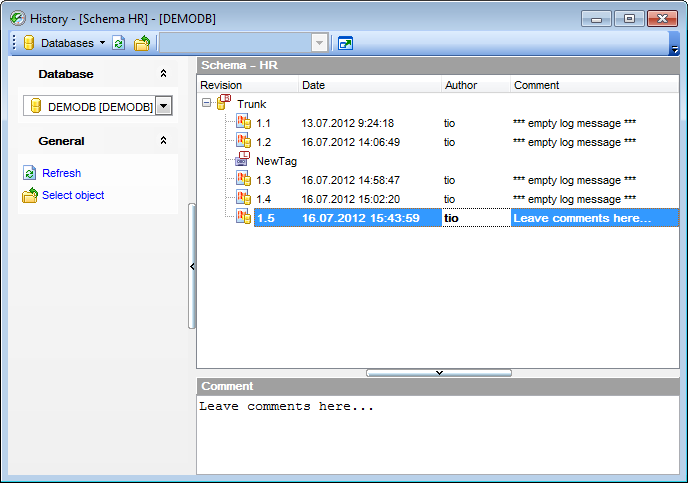
History of object changes is displayed as a table. In this table you can find the following information: database Revision and Date when the object was changed. The Author of changes made to object is also displayed.
Comment part of the window displays comments to the selected object modification.
The navigation bar of this window allows you to  select database, to
  refresh data and to
  select object.


































































