
Online Documentation for All SQLManager.net Products
Cloud Connections
Cloud Connections tab allows you to set connections parameters to external storages for your backups. When configuring backup operation you will be offered to select storage for backup files copies among those which are defined here. The selection is performed on the Specifying cloud connections step of the Backup wizard.
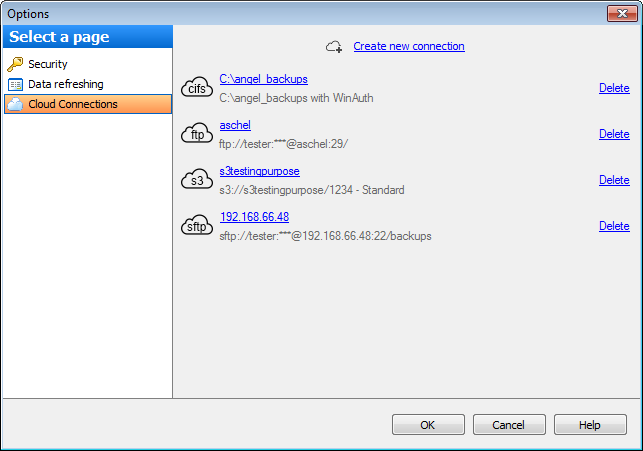
To add a storage to the list click the Create new connection button. In the opened window select the needed connection type.
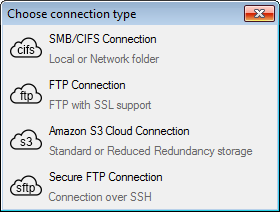
Select this item to create a folder for backups on a local or network storage.
Select this item to create a folder for backups on FTP server. FTP with SSL (Implicit and Explicit) is available.
This connection is used for storing backups in Amazon S3 bucket.
Choose this connection if you want to store backups on SFTP server. Connection is established over SSH channel.


































































