
Online Documentation for All SQLManager.net Products
Options
At this page you can define backup options. This tab is only available for SQL Server provider selected.
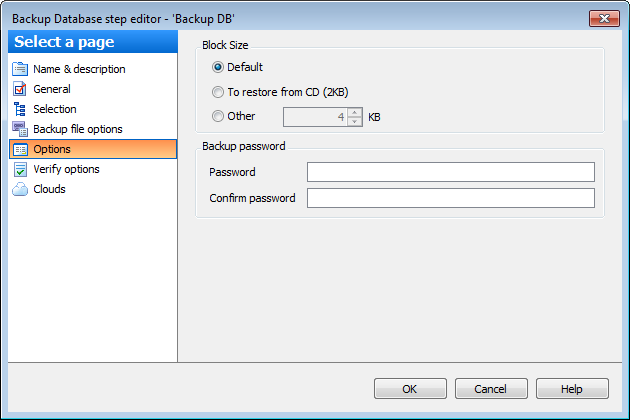
Block size
Define the size of a data block. Possible values are:  Default, To restore from CD (2 KB), Other (i.e. you can specify an arbitrary value). The supported sizes are 512, 1024, 2048, 4096, 8192, 16384, 32768, and 65536 (64 KB) bytes. Possible values are: Default, To restore from CD (2 KB), Other (i.e. you can specify an arbitrary value).
Options
 Verify backup when finished
Check this option to enable backup verification.
Perform checksum before writing to media
This option enables/disables checksum verification before writing to the backup media.
Continue on error
This option determines whether the backup operation will be stopped or forced to continue if an error occurs.
Backup compression
This option enables backup compression overriding the server-level default (for SQL Server 2008 Enterprise and later versions).
If necessary, you can set a Password for the backup: enter the password twice in the respective edit fields.


































































