
Online Documentation for All SQLManager.net Products
Log storage settings
At this tab you need to configure settings of SQL Angel log storage for the server. Log file stores information about user tasks and policies launches.
Depending on the configured values you will receive warning notification message that 'Log size is exceeded' appearing on server refresh. Also this message will be displaying in the server overview information until you perform history cleanup operation.
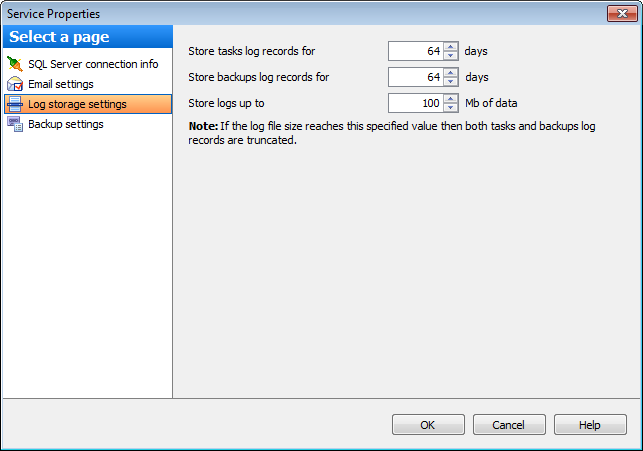
Store tasks log records
Set the period of time (in days) within witch records about tasks launches should be stored in log file. All records that are older this specified value will be removed automatically.
Store backups log records
Set the period of time (in days) within witch records about backups should be stored in log file. All records that are older this specified value will be removed automatically.
Store logs up to
Set the preferable maximum size (in Mb) of a log file.
Note: This value is limited to 3328 megabytes of data.
Note: If the log file size reaches this specified value then both tasks and backups log records are truncated.
Log file truncation is not performed simultaneously on reaching specified boundary values.


































































