
Online Documentation for All SQLManager.net Products
Selecting deactivation method
Use this step to set license deactivation method.
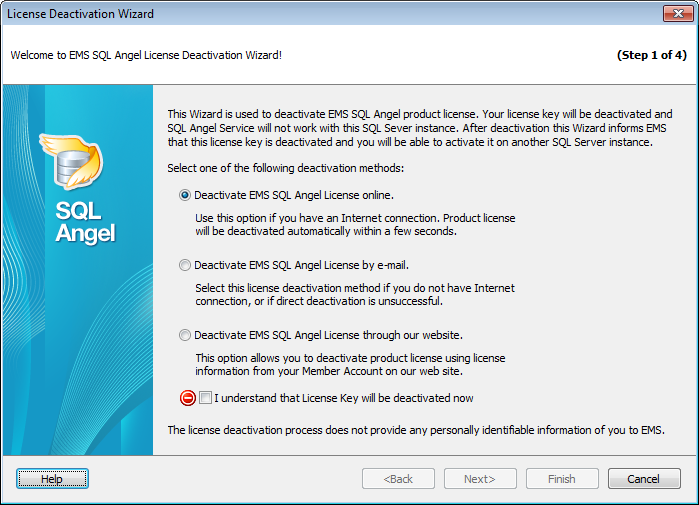
 Deactivate EMS SQL Angel License online
Use this option if you have Internet connection. Product license will be deactivated automatically within a few seconds.
Deactivate EMS SQL Angel License by e-mail
Select this license deactivation method if you do not have Internet connection, or if direct deactivation is unsuccessful.
Deactivate EMS SQL Angel License through our website
This option allows you to deactivate product license using license information from your Member Account on our web-site.
To proceed to the next step of the Wizard check the  I understand that License Key will be deactivated now. On clicking the Next button the license will be deactivated locally. This means that the license for an SQL Server instance will be deactivated in the SQL Angel program but you won't be able to activate this license key on another instance.
Note: To complete the deactivation process you need to finish this Wizard.
Next step in case of online deactivation.
Next step in case of e-mail deactivation.
Next step in case of website deactivation.


































































