
Online Documentation for All SQLManager.net Products
Selecting objects
Use this step of the wizard to select objects to update statistics.
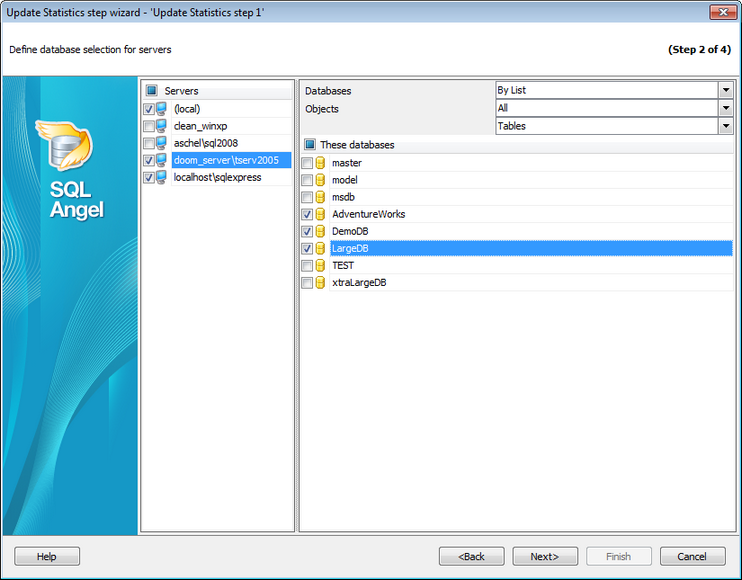
Servers
Select the servers to run the operation on. If the servers name icon is grayed out the Angel service is not run (installed) or there is no connection to the server.
Note: Selecting servers is not available in Template mode.
Databases and objects
All
Use this option to select both: system and user objects.
All system
This option indicates that only system objects should be selected.
All user
Select this option to select user objects only.
By mask
This option allows defining objects selection by mask. Use * for a set of any characters and ? for any single character in the object name.
By list
This option allows you to select objects manually.
If you are creating a step in a policy template then you are able to enter databases, tables and views manually.
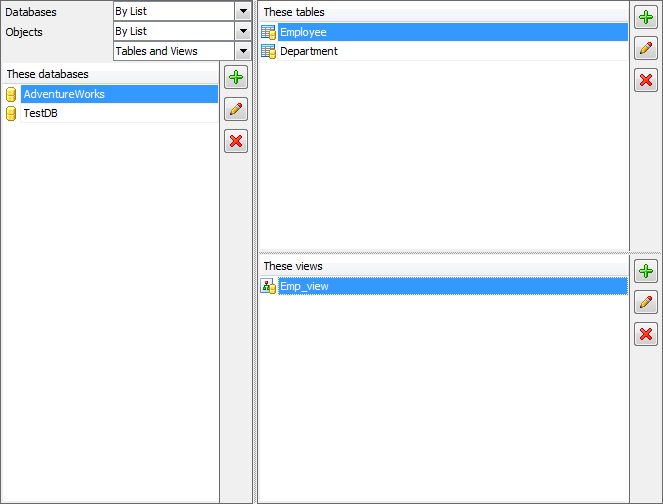
Use the  button or Ins key to define database/table/view name. After you click the Enter button the database/table/view will be added to the list.
Any database/table/view from the list can be  edited or
  deleted.


































































