
Online Documentation for All SQLManager.net Products
Defining target database parameters
Use this step of the wizard to define the target database parameters.
Restore as
Select  Existing database to restore to an existing database, or New database if you want to create a new database.
Database name
Select the database to perform restoring on from the list of all available databases on the specified host.
 Kill connections
Set this option to kill all existing connections to the database before starting the restore process otherwise restore will fail if any connections exist.
If the New database option is selected, then database name should be specified in the corresponding field. If you are restoring a database from the differential copy the New database option is unavailable.
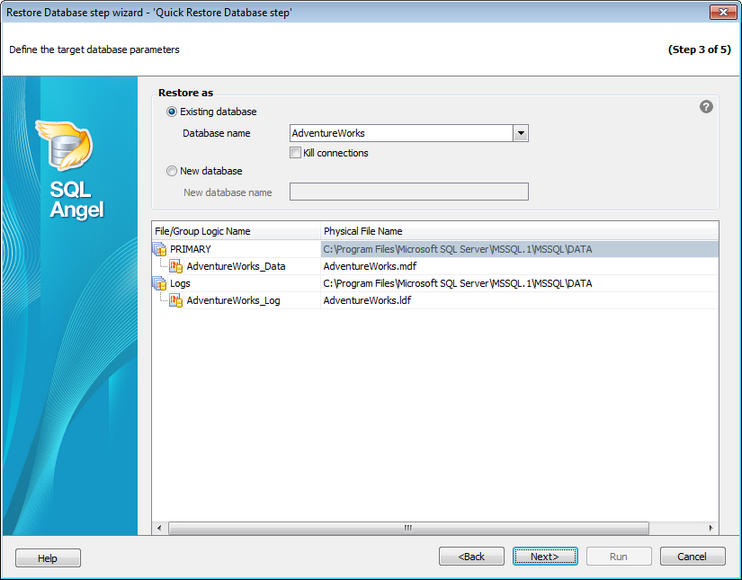
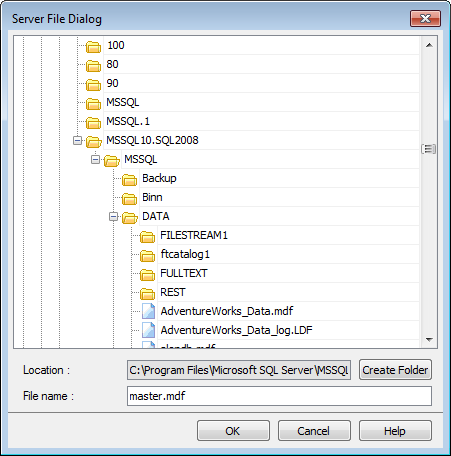
The grid displays logical and physical names of the files. You can rename the files and groups in the grid or change file folder in the appropriate dialog, clicking the ellipsis button.
Use the  ellipsis button to set files for the database that is being restored.
Click the Next button to proceed to the Specifying restoring options step of the wizard.


































































