
Online Documentation for All SQLManager.net Products
Defining notification options
SQL Angel administrator can receive electronic notifications on the results of SQL Angel policy launch via e-mail.
At this step you can set notifications for the policy.
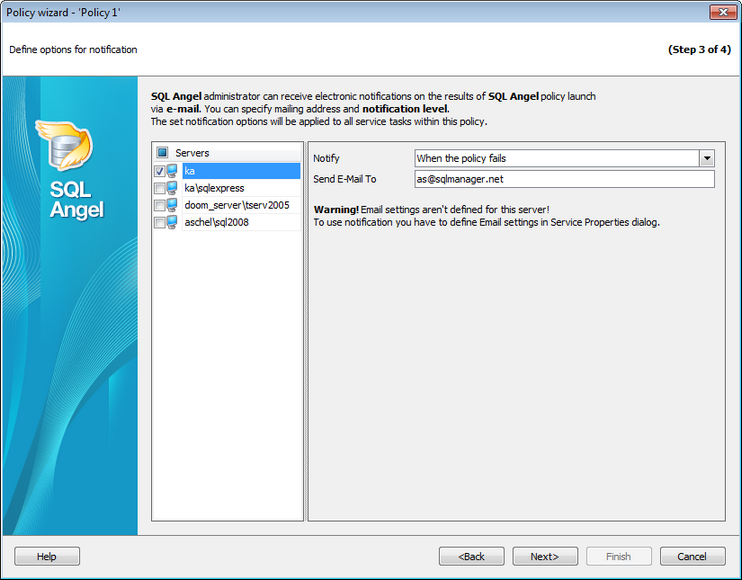
Check the necessary servers in the Servers list to send notifications about policy launch results.
In the Notify field specify the trigger action:
When the policy succeeds - send the message when policy tasks have been successfully completed.
When the policy fails - send the message when policy has failed.
When the policy completes - send the message when policy has been launched.
Input the recipient email address in the Send E-mail To field. You can define several e-mail addresses separating them with commas.
SQL Server Agent must be configured to use Database Mail.
Note: Email agent options should be set for the service at Service properties.


































































