
Online Documentation for All SQLManager.net Products
SQL Server connection info
At the SQL Server connection info tab you can view\change authentication to be used for user authorization on the server. The settings you provide will be used by the service installed on the server.
Unlike the Server Properties dialog this one is used to set SQL Server authentication parameters for an account that will be used for connection by a service installed on a server.
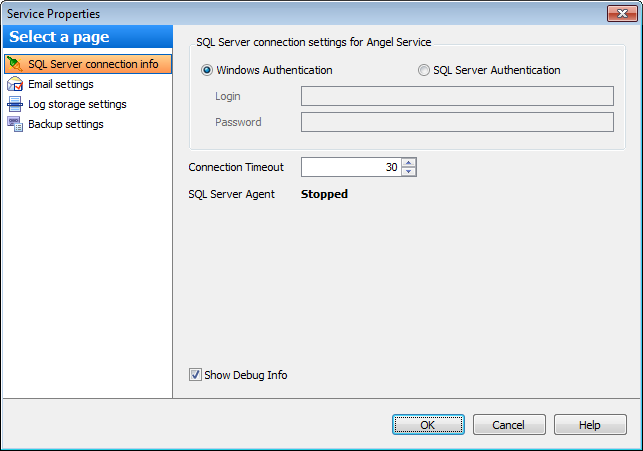
Specify the type of Microsoft® SQL Server™ authentication to be used for the connection:  Windows authentication or SQL Server authentication.
SQL Server authentication requires authorization information: Login and Password.
Connection Timeout
Use this option to restrict time (in seconds) for SQL Angel to connect to server.
SQL Server Agent info shows the current state of the agent on the selected instance.
 Show Debug Info
Check this option to display debug information in server logs.


































































