
Online Documentation for All SQLManager.net Products
Selecting installation type
At this step of the wizard you need to specify SQL Angel service installation type.
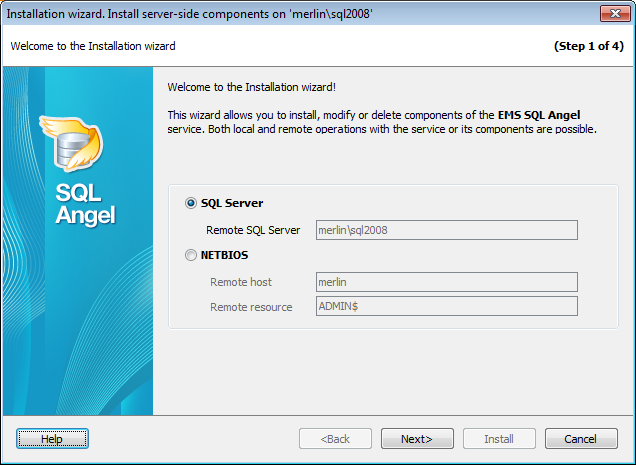
If you are installing server components on the local server then on the first step the server name is displayed.
For a remote server choose the way the service will be installed.
 SQL Server
Install service via SQL Server API functions.
NetBIOS
Install service via NetBIOS.
The Remote resource displays that ADMIN$ share will be used for installing software on the selected Remote host. Please make sure that you have sufficient privileges to perform this operation.


































































