
Online Documentation for All SQLManager.net Products
Specifying connection parameters
This step of the wizard provides you with major set of options needed to register a server.
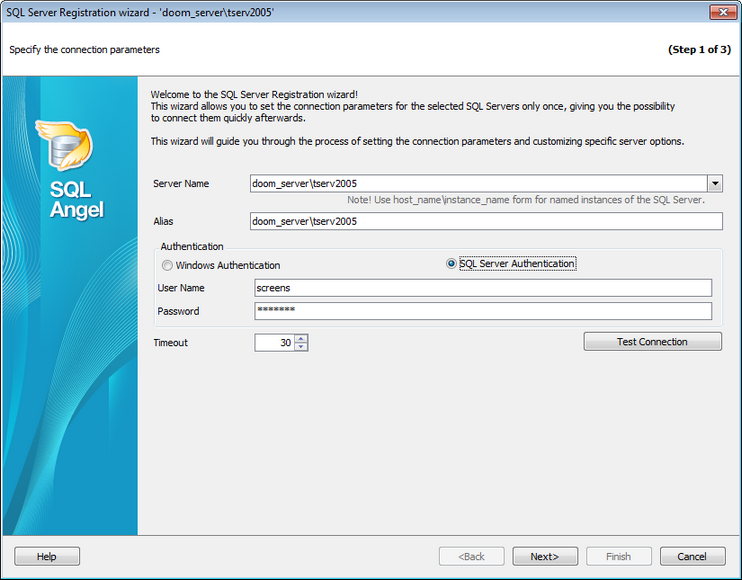
Server Name
Use this field to select server to register. You can select host from the drop-down list or type in a host name manually.
Please note that if Microsoft® SQL Server™ is installed as a named instance, you should enter the name of your machine and the instance name in the Server name field in the following format: computer_name\sqlserver_instance_name (e.g. "MYCOMPUTER\SQLEXPRESS").
Alias
Define the server alias which is displayed in the DB Explorer tree and program tools. By default, a server alias generated by the application has the following format: <server_name>.
Authentication
Specify the type of Microsoft® SQL Server™ authentication to be used for the connection:  Windows authentication or SQL Server authentication.
SQL Server authentication requires authorization information: User name and Password.
Timeout
Use this option to restrict time for SQL Angel to connect to server.
Test connection
You can test specified connection settings by pressing this button.


































































