
Online Documentation for All SQLManager.net Products
Server popup menu
This popup menu is available for the server at DB Explorer.
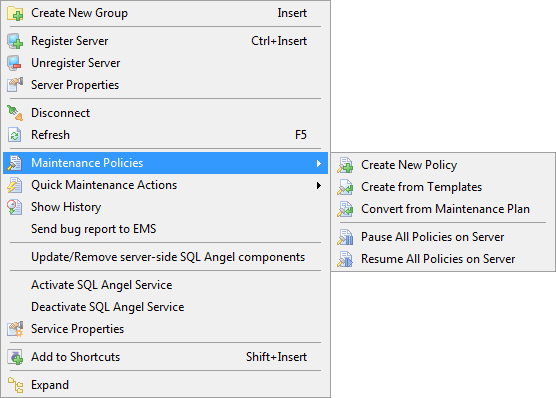
 Create New Group (or Ins key)
 Register Server launches the Register Server Wizard.
 Unregister Server
 view Server Properties
 Refresh server subobjects and policies (or F5 key)
 Maintenance Policies
 Create new Policy
 Create from Templates to create a policy based on the created template.
 Convert from Maintenance Plan runs the Maintenance plan conversion wizard.
 Pause All Policies on Server stops policy scheduled execution until resuming
 Resume All Policies on Server launches all stopped policies of the server
 Quick Maintenance Actions opens the list of Maintenance Actions for quick immediate launch.
 Show History opens the Viewing Policy History window.
Install/Update/Remove server-side SQL Angel components runs the corresponding wizard.
Activate SQL Angel Service
Deactivate SQL Angel Service
 view Service properties
 Add the selected object to shortcuts
 Collapse all groups
 Expand all groups


































































