
Online Documentation for All SQLManager.net Products
Navigating
Explorer is the basic navigation window for managing servers and databases. It has a tree-like structure and it allows you to perform operations with any object in the Explorer window. Explorer is only available at the Servers tab of SQL Angel. Also from this tab you can get all information about policy status.
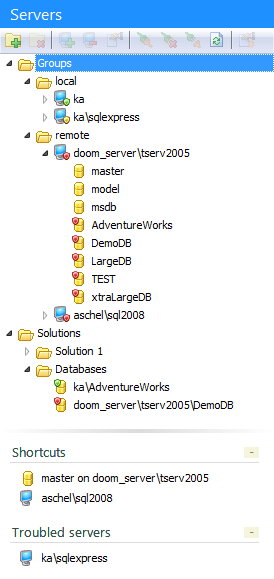
The following tabs are available on the top of the SQL Angel window.

Gears menu - for configuring SQL Angel Console settings;
Servers - for managing servers, databases and policies execution;
Policies - for managing policies;
Templates - for managing templates for policies, tasks, steps and schedules;
Activities - for managing current active processes.
Toolbars
A toolbar is a horizontal row of selectable image buttons that give the user a constantly visible reminder of and an easy way to select certain application functions.

Toolbars are available on Servers and Policies tabs.
|
See also: |


































































