
Online Documentation for SQL Manager for DB2
SQL Script Editor
Using SQL Script Editor you can view, edit and execute SQL scripts.
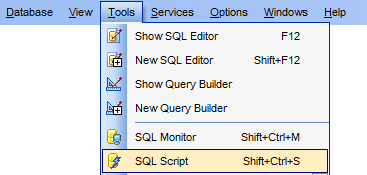
To open SQL Script Editor, select the Tools |  New SQL Script / Tools |
  SQL Script main menu items or use the corresponding toolbar buttons. You can also use the Shift+Ctrl+S shortcut for the same purpose.
In the script area you can view and edit the SQL script text. For your convenience syntax highlight and code completion features are implemented.
- Using Navigation bar and Toolbar
- Working with SQL Script editor area
- Using Script Explorer
- Script execution
Note: SQL Script Editor does not show results returned upon SELECT queries execution. Please use SQL Editor for that purpose instead.
|
See also: |


































































