
Online Documentation for DB Comparer for MySQL
Environment options
Environment Options allow you to customize general options of the DB Comparer application.
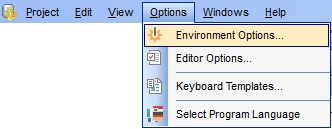
To open the Environment Options window, select the Options | Environment Options... main menu item, or use the  Environment Options button on the main toolbar.
The Default button located at the bottom of the Environment Options form can be used to set option values to defaults.
|
|
|
See also: |
|
|


































































